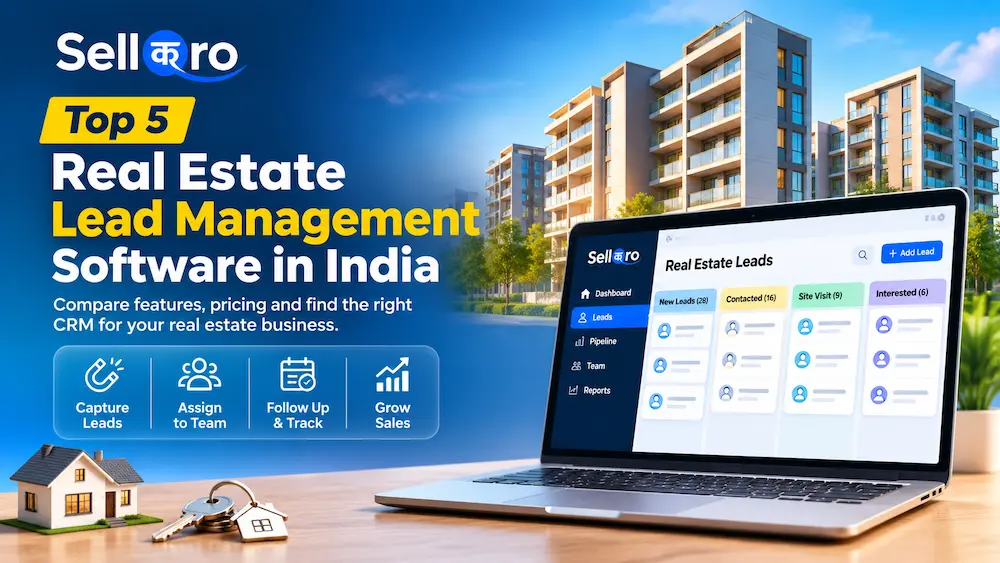
Looking for real estate lead management software? The right choice depends on what happens after a buyer enquires. A solo property agent needs a reliable place to record names and callbacks. A team running Facebook and Google lead campaigns needs clear lead ownership. A developer managing multiple towers may also need property inventory, site-visit scheduling and booking workflows.
This comparison covers five CRM and lead management tools for real estate businesses in India. It explains what each one does well, where it may be more than you need, and which costs to check before choosing.
5 Best Real Estate Lead Management Software: Quick Comparison
| Software | Best for | Lead management focus | Pricing approach |
|---|---|---|---|
| SellQro | Independent brokers and small sales teams | Ad and website enquiries, lead ownership, follow-ups | Free plan; Pro welcome offer ₹199/workspace/month |
| Sell.Do | Property developers and larger brokerages | Lead-to-booking journey, inventory, partners and post-sales | Custom quote; minimum five users |
| LeadSquared | High-volume inside and field sales teams | Lead distribution, scoring, activities and site visits | Sales quote; confirm India-specific price |
| Zoho CRM | Businesses seeking customizable CRM workflows | Contacts, pipelines, tasks and configurable modules | Free for up to three users; paid per user |
| Privyr | Mobile-first agents and WhatsApp-led follow-up | Mobile alerts, lead engagement, messaging templates | Limited free plan; paid per-user Pro |
How we selected these products: We reviewed publicly documented features and pricing on the vendors’ websites on 5 November 2026 and grouped tools by the kind of real estate sales team they appear to suit. This is a feature-based editorial comparison, not a hands-on test of all five products. Disclosure: SellQro is our own product. Prices and included features may change.
1. SellQro — Best for Simple Real Estate Lead Management
SellQro is built for businesses that receive enquiries and need to keep follow-ups organized. For a property broker running Meta lead ads or receiving enquiries through a website, its main benefit is a straightforward lead inbox rather than a large property-management system.
What real estate teams can do with SellQro
- Bring eligible Meta Instant Form, Google Ads lead-form and website enquiries into the workspace, depending on the plan and setup.
- Import existing Excel/CSV leads or add a walk-in or referral enquiry manually.
- View the lead source, assigned person, status, notes and next follow-up together.
- Assign a new lead to a salesperson with a click.
- Open calls and WhatsApp chats from contact details and send template emails when configured.
- Keep sales instructions and standard operating procedures available to the team.
Real estate example: A buyer submits a form asking about a 3 BHK apartment. Instead of downloading an ad-platform spreadsheet, the sales coordinator sees the new enquiry in SellQro, assigns it to an agent, and the agent saves the buyer’s budget, preferred area and next callback date in the lead record.
Pricing: SellQro Free is ₹0 forever for one user, with up to 10,000 leads, manual/CSV entry, a basic website form and one Google Ads connection. Its Pro plan currently advertises a ₹199 per workspace per month welcome offer (not per user), including the owner and up to 25 team members, up to 100,000 leads, five Meta lead forms and expanded integrations. The offer is recurring while the subscription remains active; check checkout terms before subscribing.
Where it may not fit: SellQro is not marketed as a full property inventory, tower/unit booking, channel partner commission or post-sales collection platform. Its documented lead assignment is a one-click team action; don’t assume advanced rules-based or round-robin distribution is included. Its WhatsApp link opens a chat; it is not a promise of an integrated WhatsApp Business API inbox.
Verdict: A practical starting point for individual agents and small agencies whose main problem is losing track of paid-ad enquiries and sales follow-ups. See SellQro’s Meta lead form integration.
2. Sell.Do — Best for Developers Managing Inventory and Bookings
Sell.Do is built specifically for real estate operations. Beyond capturing and assigning leads, it offers project inventory, site visits, channel partner workflows, bookings and post-sales functions.
- Capture enquiries from marketing and property channels.
- Route leads through pre-sales and sales teams.
- Manage properties, units, availability and cost sheets.
- Handle channel partner relationships and post-sales activity.
Where it may not fit: A solo property agent who only wants an easy callback list may find this broader system unnecessary. Its pricing is quoted according to team size and modules, and the provider lists a minimum of five users. Ask about onboarding and communication add-ons.
Verdict: Consider Sell.Do if your team needs a system that follows a buyer beyond the initial lead to inventory, booking and collections.
3. LeadSquared — Best for High-Volume Property Sales Teams
LeadSquared’s real estate CRM focuses on organizing large numbers of enquiries and keeping sales activity measurable. Its real estate offering includes lead capture, segmentation, assignment, site-visit workflows, field-sales tools and inventory-related capabilities.
- Collect leads from websites, social media, referrals and property marketplaces.
- Use lead scoring, automated routing and activity tracking.
- Coordinate sales agents and on-site visits.
- Use mobile tools for field staff and performance reporting.
Where it may not fit: Smaller teams should first check the effort required to configure the workflow, train staff and maintain it. Sales CRM plans are published for some regions, but request a current India-specific proposal covering users, required modules and add-ons.
Verdict: Worth evaluating when a real estate business handles significant lead volume and needs more sophisticated routing and activity discipline.
4. Zoho CRM — Best for a Customizable Real Estate Sales Process
Zoho CRM is a general-purpose CRM rather than a ready-made property sales platform. Teams can manage contacts, deals, tasks and sales pipelines, and configure fields or modules for property requirements.
- Track enquiries and follow-up activities.
- Configure sales stages, reports and workflows.
- Connect to other business applications through supported integrations.
- Adapt the CRM to different real estate sales processes.
Where it may not fit: Property-specific functions such as tower/unit availability, broker commissions or site-visit processes may require configuration or additional apps. Zoho has a free edition for up to three users; paid plans charge per user and vary in feature access.
Verdict: A flexible choice for a brokerage that wants to design its own workflow and has someone available to maintain the setup.
5. Privyr — Best for Agents Who Work Primarily on Their Phones
Privyr focuses on receiving, contacting and following up with leads from a mobile phone. It is especially relevant for agents who respond to Facebook or Instagram enquiries with calls, messages, brochures and WhatsApp chats.
- Receive new-lead notifications from connected sources.
- Use messaging templates, reminders and follow-up sequences.
- Share property brochures and other sales materials.
- Distribute new leads and manage client activity.
Where it may not fit: A developer needing project inventory or detailed booking operations may need additional software. Privyr’s free plan supports up to three team members but has engagement limits; Pro is priced per user, and certain WhatsApp automations are paid add-ons.
Verdict: A useful shortlist option for independent agents who spend much of the day calling and messaging from their phones.
Which Real Estate Lead Management System Should You Choose?
If you run Facebook or Google lead campaigns for a small brokerage: Start with the essentials: lead capture, ownership, call or WhatsApp access, notes and a next follow-up date. SellQro is worth testing for this workflow.
If you manage multiple salespeople and high enquiry volumes: Compare automated distribution, lead scoring, field activity, permissions and reporting. LeadSquared is a relevant option.
If you are a developer selling units across several projects: Give more weight to inventory, site visits, cost sheets, bookings, channel partners and post-sales. Sell.Do is a stronger fit for that scope.
If customization is your main requirement: Review Zoho CRM. If mobile-first communication is the priority, review Privyr.
A Real Estate Lead Management Workflow You Can Use With Any CRM
Imagine a brokerage receiving 30 enquiries in one day from ads, its website and referrals. A useful CRM should make the next action clear for each person:
- New enquiry: Record name, contact number, source and property interest.
- Assigned: Give the enquiry one responsible salesperson.
- First contact: Call the buyer and record whether they answered.
- Qualified: Note budget, preferred location, property type and purchase timeline.
- Site visit planned: Save the visit date and next reminder.
- Negotiation or follow-up: Record questions, objections and agreed next steps.
- Booked, lost or nurture: Close the outcome or schedule a later follow-up.
This is an example sales process, not a claim that every product has a dedicated module for every stage. Even a basic lead management tool should help your team avoid records with no owner or next action.
7 Questions to Ask Before Buying a Real Estate CRM
- Does it capture leads from your actual sources—Meta forms, your website, Google lead forms or property portals?
- Does assignment happen automatically, manually, or both? What happens if an agent is absent?
- Can agents see previous notes and the next follow-up without switching screens?
- Does WhatsApp mean a click-to-chat link, or a shared Business API inbox? Are messaging charges extra?
- Can managers identify uncontacted and overdue leads?
- Can you import existing leads and export the data if you change software?
- What is the complete monthly cost for your team, including seats, onboarding, integrations and add-ons?
A simple test: Before paying, ask the vendor to process 10 sample enquiries—from capture through assignment, first contact, a missed callback and a completed site visit. This reveals more than a long features checklist.
Frequently Asked Questions
What is real estate lead management software?
It is software for capturing property enquiries, organizing buyer information, assigning follow-ups to agents and tracking progress from the first conversation toward a site visit or booking.
Which CRM is best for a small real estate agency in India?
If the agency mainly needs to capture online enquiries, assign them and keep follow-ups visible, a focused tool like SellQro can be enough. If it also needs inventory, unit booking and post-sales functions, evaluate a real-estate-specific platform such as Sell.Do.
Can I manage real estate leads for free?
Yes. SellQro has a free single-user plan, Zoho CRM offers a free plan for up to three users, and Privyr has a limited free plan. Check which lead sources and team functions are included before choosing.
Does SellQro’s free plan include Facebook Lead Ads integration?
No. According to its published pricing page, Meta Instant Form connections are on SellQro Pro. The free plan includes manual entry, CSV import, a basic website form and one Google Ads connection.
Is a real estate CRM better than Excel?
Excel can work for a small number of enquiries handled by one person. Once several agents share leads, CRM software can make responsibility, contact history and future follow-ups easier to manage.
Final Recommendation
The best real estate lead management software is the one your team will use consistently. Don’t pay for a complex property-management suite if your biggest problem is missed calls and forgotten follow-ups. Equally, don’t choose a simple lead tracker if your business depends on live unit availability, channel partner payouts and post-sales collections.
For brokers and small teams looking to bring Meta Ads and website enquiries into one follow-up workflow, explore SellQro or compare its Free and Pro plans before deciding.
Editorial note: This article was prepared for SellQro. We have a commercial interest in SellQro and have disclosed that relationship. Vendor features and pricing were checked against public product documentation on 5 November 2026; readers should verify current terms directly with each provider. This article does not report independently tested comparative performance.