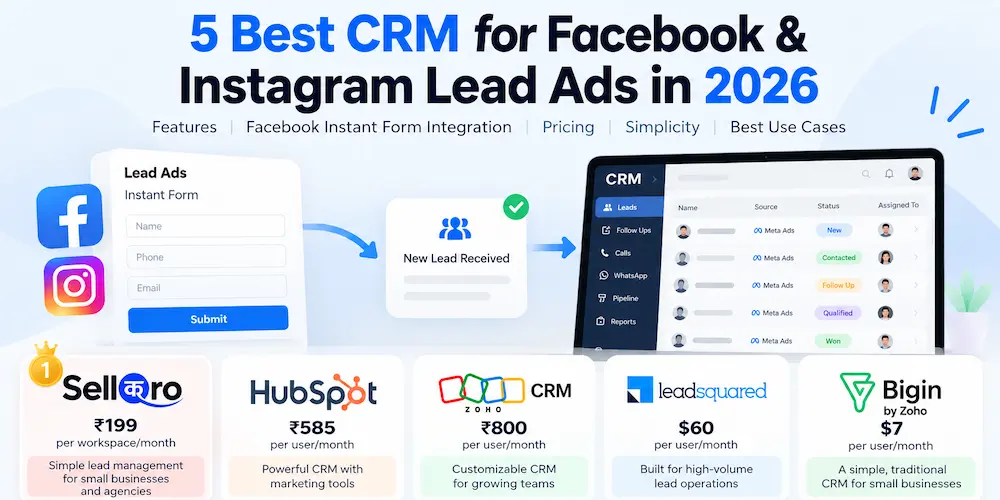

Looking for real estate lead management software? Start by looking at what happens after a property enquiry comes in. Can your team see who received it, who is responsible for calling, what the buyer is looking for, and when the next follow-up is due?
For an independent broker, a simple lead inbox may be enough. A growing agency may need to distribute enquiries across several agents. A developer selling units in multiple projects may also need inventory, site visits, bookings and channel partner management. This is why the best lead management software for real estate depends on how your team works, not just how many features a CRM offers.
We compared five options used by different types of sales teams in India: SellQro, Sell.Do, LeadSquared, Zoho CRM and Privyr. Below is a quick comparison, followed by where each platform fits and what to check before paying.
5 Real Estate Lead Management Software Options Compared
| Software | Best suited for | Main focus | Pricing approach |
|---|---|---|---|
| SellQro | Individual brokers and small sales teams | Ad and website leads, ownership and follow-ups | Free plan; Pro welcome offer at ₹199/workspace/month* |
| Sell.Do | Developers and larger brokerages | Lead-to-booking journey, inventory and channel partners | Custom quote; minimum five users |
| LeadSquared | High-volume property sales teams | Lead routing, scoring, field activity and site visits | Request a quote for the required modules |
| Zoho CRM | Brokerages needing a customizable sales process | Contacts, pipelines, tasks and workflows | Free for up to three users; paid plans per user |
| Privyr | Mobile-first agents | Lead alerts, messages and follow-up activity | Limited free plan; paid Pro subscriptions |
*The ₹199 SellQro price is presented as a promotional welcome offer. Pricing, limits and available integrations can change. Check each vendor’s current terms before subscribing.
How we compared them: This is an editorial comparison based on published product features and pricing information reviewed in November 2026, not a hands-on performance test of all five CRMs. Disclosure: SellQro is our own product; the other tools are included to help readers compare different requirements.
1. SellQro – Best for Straightforward Property Lead Follow-Ups
SellQro is designed for businesses that need to collect enquiries, assign them to a team member and keep the next follow-up visible. It can be a practical real estate lead management system for a brokerage whose leads mainly come from Facebook or Instagram ads, Google Ads, a website or referrals.
How a Property Sales Team Can Use SellQro
- Collect supported online enquiries in one lead workspace, subject to the plan and integration setup.
- Add walk-in and referral enquiries manually or import an existing CSV list.
- Assign a lead to the agent responsible for contacting the buyer.
- Save requirements such as budget, preferred location, property type and the next callback date in notes.
- Track status and follow-up activity instead of relying only on individual WhatsApp chats or spreadsheets.
- Open calls and WhatsApp conversations from the lead details.
Example: Someone enquires about a 3 BHK flat after seeing an ad. The enquiry reaches the workspace, the coordinator assigns it to an agent, and the agent records the buyer’s budget and preferred area. When the buyer asks for a callback on Saturday, that next step stays with the lead record.
SellQro Pricing and Limitations
The published Free plan is intended for one user, with manual or CSV lead entry and selected basic integrations. The Pro plan has been advertised at ₹199 per workspace per month as a welcome offer and supports additional team members and eligible Meta lead forms. Confirm the offer, form limits and other integrations on the current pricing page.
SellQro is not presented as a full property inventory or booking platform. If you need live unit availability, builder collections, channel partner commissions or advanced automatic lead routing, check those requirements separately. Its click-to-WhatsApp option should not be confused with a shared WhatsApp Business API inbox.
Good fit: Brokers and small property marketing teams that want to avoid missed callbacks without introducing a complicated CRM. You can also review SellQro’s Meta lead management features.
2. Sell.Do – Best for Developers Managing Properties and Bookings
Sell.Do is built around the broader real estate sales journey. Its modules cover marketing, pre-sales, inventory, negotiations, channel partners and post-sales activity. That makes it different from a lead tracker focused mainly on contact and follow-up.
Where Sell.Do Fits
- Managing enquiries across multiple projects and sales teams.
- Tracking project, tower and unit availability.
- Coordinating site visits, negotiations and bookings.
- Working with channel partners and post-sales processes.
For a developer selling hundreds of units, it can be useful to connect the initial enquiry with the specific property and later sales stages. For a solo agent who mainly needs a callback list, this wider scope may be unnecessary.
Pricing and limitation: Sell.Do provides custom quotes based on users and modules, with a published minimum of five users. Ask about onboarding, communication charges and the modules included in the proposal.
Good fit: Developers and organized brokerages that need property operations beyond lead capture.
3. LeadSquared – Best for High-Volume Real Estate Sales Teams
LeadSquared offers a real estate CRM for businesses handling many enquiries from ads, property portals, referrals and walk-ins. Its strength is in helping larger teams distribute, qualify and track leads while coordinating sales activity.
Key Capabilities to Evaluate
- Bring enquiries from multiple online and offline sources into the sales process.
- Use lead scoring and rules-based assignment to prioritize and route prospects.
- Record calls, tasks and sales activity across teams.
- Coordinate field agents, site visits and relevant inventory workflows.
- Review pipeline and agent performance through reports.
Consider a project receiving hundreds of property enquiries a week. Managers may need to know whether a buyer was contacted, whether a visit happened and which agent owns the next action. This is where a more structured platform can make sense.
Pricing and limitation: Request an India-specific quote for your team size, real estate modules and integrations. A smaller brokerage should also account for configuration and staff training. See LeadSquared pricing information.
Good fit: Teams where lead volume, assignment rules and field activity are more important than having the simplest possible interface.
4. Zoho CRM – Best for Customizable Real Estate Sales Processes
Zoho CRM is a general sales CRM that businesses can adapt for property enquiries. It manages contacts, leads, deals, tasks and pipelines, with additional workflow and customization options depending on the edition.
How Real Estate Businesses Can Use Zoho CRM
- Create a pipeline for enquiry, qualification, site visit, negotiation and closure.
- Add relevant buyer details, such as budget, location and property preferences.
- Assign tasks and track sales follow-ups.
- Connect other systems through supported integrations.
Zoho can be a reasonable choice if your business already has a defined sales process and wants the CRM to reflect it. The trade-off is that a property-specific workflow may need more initial configuration than an industry-focused product.
Pricing and limitation: Zoho CRM offers a free edition for up to three users, with paid editions generally priced per user. Confirm which edition supports the automation and integrations you need. Do not assume that property inventory, developer collections or portal integrations are ready to use without configuration.
Good fit: Brokerages that value flexibility and have someone available to set up and maintain workflows.
5. Privyr – Best for Mobile-First Real Estate Agents
Privyr takes a mobile-first approach to managing enquiries. It is particularly relevant to agents who spend their working day visiting sites, calling buyers and sharing information through messages.
What Makes Privyr Different
- Receive notifications for new leads from connected sources.
- Use saved message templates and follow-up reminders.
- Share brochures and property material with prospects.
- Manage client activity from a mobile device.
A broker who is frequently away from a desk may prefer immediate mobile alerts over a heavily customized desktop CRM. But a developer needing detailed inventory, unit bookings and collection workflows should check whether additional systems will be required.
Pricing and limitation: Privyr has a Free Forever plan with limits on lead engagement and access to some features; Pro unlocks more functionality and is charged by subscription. Check the latest plan details and any communication add-ons.
Good fit: Independent agents whose first priority is to contact and follow up with enquiries on their phones.
What Should a Real Estate Lead Management System Actually Do?
A lead management tool for a real estate business should answer four practical questions: Where did this enquiry come from? Who is handling it? What did the buyer say? What happens next? Those basics matter whether you sell apartments, commercial space, plots or rental properties.
A full property CRM may go further by managing inventory, bookings and payments. Not every broker needs those modules. Before choosing, separate your must-have features from the features that would simply be nice to have.
A Simple Real Estate Lead Management Workflow
Suppose your team receives 30 enquiries in a day from Meta ads, Google Ads, your website and referrals. A useful process is:
- Capture: Save the buyer’s name, phone number, enquiry source and property interest.
- Assign: Make one agent responsible for the first response.
- Contact: Call the buyer and record the outcome.
- Qualify: Note the budget, location, property type and buying timeline.
- Plan: Agree on a callback or site visit and record the date.
- Follow up: Review outstanding enquiries and keep notes on conversations.
- Close or nurture: Mark the outcome or schedule a later conversation.
This is an example of a sales process, not a claim that every CRM has a dedicated tool for every stage. The key is that no active lead should be left without an owner or a next step.
Which Is the Best Lead Management Software for Your Real Estate Business?
There is no single answer for every agent, brokerage or developer. Start with the problem you are trying to solve:
- Missed enquiries and callbacks: Consider SellQro for a focused lead-and-follow-up workflow.
- Inventory, bookings and channel partners: Compare the property-specific modules in Sell.Do.
- Large teams and frequent lead distribution: Evaluate LeadSquared.
- Customized stages and integrations: Look at Zoho CRM.
- Sales work happening mainly on a phone: Consider Privyr.
Whether your brokerage operates in Gurgaon, Noida or another Indian market, the important checks are the same: your actual lead sources, team size, process and total cost. City-specific marketing needs do not automatically require a different CRM.
7 Questions to Ask Before Buying a Real Estate CRM
- Can it bring in enquiries from the channels you really use, including ads, forms and property portals?
- Is lead assignment manual, automatic or both?
- Can each agent quickly see past conversations and the next follow-up?
- Does WhatsApp mean click-to-chat, messaging templates or a full Business API inbox?
- Can your manager see uncontacted leads and overdue tasks?
- Can you import older enquiries and export your data later?
- What will the complete cost be after user fees, onboarding and integrations?
A practical test: Ask the vendor to run ten sample property enquiries through your actual workflow. Check what happens when an agent misses a call, a lead changes owner or a site visit gets rescheduled. That will tell you more than a long feature list.
Frequently Asked Questions About Real Estate Lead Management
What is real estate lead management software?
It is a tool for capturing property enquiries, organizing buyer details, assigning them to sales agents and tracking conversations and follow-ups. Some products also include inventory, site visits, booking and post-sales functions.
What is the best lead management software for real estate agents?
For individual agents and small brokerages, a simple tool such as SellQro or a mobile-focused option such as Privyr may be sufficient. Larger teams can also consider LeadSquared, while developers needing inventory and bookings may prefer a real-estate-specific platform such as Sell.Do.
Is there free real estate lead management software in India?
Yes. SellQro, Zoho CRM and Privyr offer free plans with different limits. Compare the number of users, supported enquiry sources and follow-up features rather than choosing only by the free-plan label.
Can a real estate CRM receive leads from Facebook and Google Ads?
Many CRMs support lead-form connections or integrations with advertising platforms. However, the method and eligible plans vary. Ask the provider to demonstrate your actual Meta or Google lead form before subscribing.
Does every lead management CRM for real estate include property inventory?
No. A basic CRM may focus on contacts, assignment and follow-ups. Developers who need unit availability, project inventory, bookings and collections should check those property-specific capabilities separately.
Is a real estate CRM better than using Excel?
Excel can be enough for one agent with a small number of enquiries. As more agents and lead sources are added, a CRM can make ownership, contact history, reminders and outstanding follow-ups easier to manage.
Final Thoughts
Choosing a CRM should begin with your team’s daily work, not the longest feature list. If your biggest challenge is following up with enquiries from ads, a simple lead management system may be enough. If your business sells units across multiple projects, inventory and booking workflows could matter just as much as lead capture.
For brokers and small teams, explore SellQro and compare its Free and Pro plans against the features you will use. Whichever tool you choose, test it with real scenarios before moving your entire sales process.
Editorial note: This article is published by the team behind SellQro, so we have a commercial interest in that product. The comparison is based on publicly described features and product information reviewed in November 2026; it does not report independent hands-on testing of all the tools. Check the vendors’ current terms for final pricing and availability.